
IT Health Check Services in Doha
IT Health Check & IT Audit Services in Doha, Qatar
An IT health check is a structured review of your servers, network, computers, security and backups that shows what is working, what is at risk and what to fix first. The Node IT carries out IT health checks and technical IT audits for businesses in Doha and across Qatar.
Our engineers assess your IT infrastructure on site and remotely, then give you a clear report with prioritised recommendations, so you can fix weak points before they cause downtime, data loss or a security incident. If you want ongoing care after the review, an IT AMC keeps everything maintained, and our IT consultancy team can help plan larger upgrades.
What an IT health check helps you do
- Find hidden risks before they cause outages
- Confirm that your backups can actually be restored
- Spot security gaps and unsupported software
- Plan IT budgets and upgrades with real data
- Prepare for growth, an office move or an audit

How Does an IT Health Check Work?
An IT health check gives you an independent, evidence-based picture of your IT environment. Our engineers review your servers, network, endpoints, security controls, backups and licensing using structured checklists and diagnostic tools, then explain the findings in plain language. You get a clear list of what to fix now, what to plan for and what is already in good shape. The process is simple:
- 1
Scope agreed
- 2
Data collected
- 3
Expert analysis
- 4
Report and roadmap
- 5
Fixes and follow-up
Why Choose The Node IT for Your IT Health Check in Qatar?
A good IT health check is only useful if it leads to action. We focus on the issues that matter to your business, explain them clearly and help you fix them in the right order.
What Does an IT Health Check Cover?
An IT health check from The Node IT can review every part of your office IT in Qatar. Here is what a typical check covers.
| Area | What we check |
|---|---|
| Servers | Hardware status, disk health, storage capacity, operating system updates and event logs on your business servers. |
| Network and Wi-Fi | Switch, router and firewall configuration, firmware versions, Wi-Fi coverage, bandwidth use and cabling condition. |
| Computers and laptops | Age, performance, operating system support status, updates and installed software. |
| Cybersecurity | Endpoint protection status, patch levels, admin accounts, password policies and exposed services. |
| Email and Microsoft 365 | Mailbox and licence use, multi-factor authentication, sharing settings and email security filtering. |
| Backup and recovery | Backup jobs, retention, offsite or cloud copies and a test restore of selected data. See our backup solutions. |
| Licensing and assets | Hardware and software inventory, warranty status and licence expiry dates. |
| Documentation and access | Network diagrams, user access rights, shared accounts and IT policies. |
The exact scope is agreed before work starts and depends on the size of your environment.
IT Health Check vs IT Audit vs Penetration Test: What Is the Difference?
These three services are often confused. Here is how they compare, so you can choose the right starting point.
| IT Health Check | IT Compliance Audit | Penetration Test | |
|---|---|---|---|
| Main goal | Find and fix technical risks and performance issues | Show that controls meet a standard or regulation | Try to break in the way an attacker would |
| Scope | Your whole IT environment | Policies, processes and controls | Selected systems or applications |
| What you receive | Prioritised report and action plan | Audit findings against a framework | List of exploitable vulnerabilities |
| Best for | Businesses that want a clear picture of their IT | Regulated organisations preparing for an audit | Organisations testing their security defences |
| Typical frequency | Once or twice a year, and before major changes | As the standard or regulator requires | Yearly or after major changes |
The Node IT provides IT health checks. If you also need a formal compliance audit or penetration test, a health check is a sensible first step.
Our Solutions
Explore our five solution areas and the services inside each one.

Managed IT Services
Managed IT support, maintenance contracts, consultancy and office moves for businesses across Qatar.

Cybersecurity
Endpoint, email and data protection that keeps business information in Qatar safe and available.
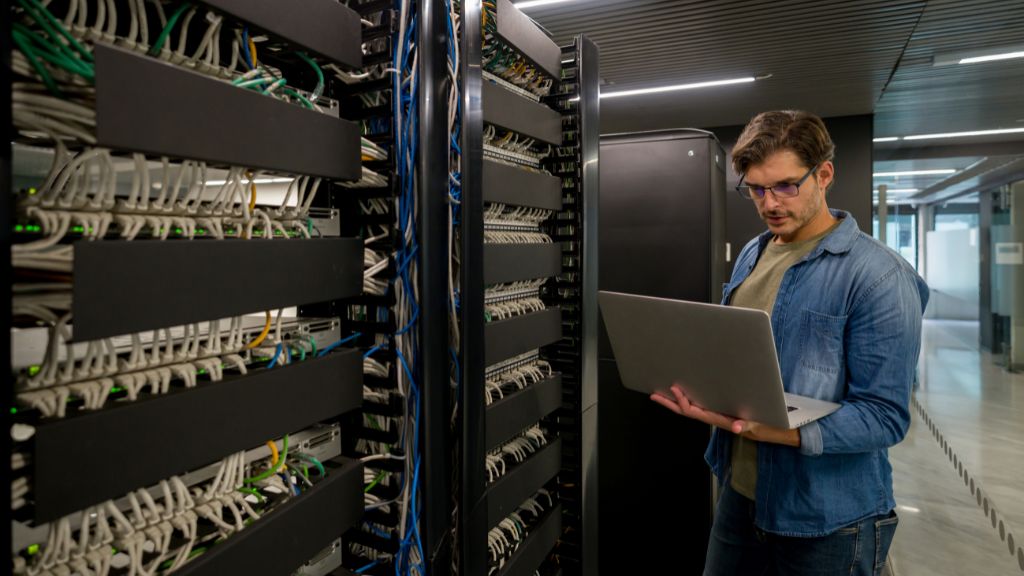
IT Infrastructure
Servers, backup, archiving, cabling and access control that form the backbone of your office.

Unified Communications
Phone systems, call centers, meeting rooms, displays and IVR that connect your teams and customers.

Web & App Development
Websites and custom web apps that help your business in Qatar work smarter online.
Get a Quote or Expert Advice
IT Health Check in Qatar: Frequently Asked Questions
IT Health Check Basics
What is an IT health check?
An IT health check is a structured review of a company’s IT environment, including servers, network, computers, cloud services, security and backups. It shows what is working well, what is at risk and what should be fixed first, and ends with a written report and action plan. The Node IT provides IT health checks for businesses in Doha and across Qatar.
What is the difference between an IT health check and an IT audit?
An IT health check is a practical technical review that finds and prioritises risks and performance problems. A formal IT audit checks whether your policies and controls meet a specific standard or regulation, and is usually done for compliance. Many businesses start with a health check because it fixes the technical basics that any later audit will look at.
Why does my business need an IT health check?
Most IT problems build up quietly: disks fill up, backups fail, updates are missed and old devices fall out of support. An IT health check finds these issues before they cause downtime, data loss or a security incident, and gives you a clear plan and budget for fixing them.
What are the signs that my business needs an IT health check?
Common signs include slow computers or network, frequent Wi-Fi drops, unexplained outages, backups nobody has tested, staff using old or unsupported devices, a recent security scare, or simply not knowing what IT equipment and licences you have. A change of IT provider or a new IT manager is also a good time for a check.
Is an IT health check the same as an IT infrastructure assessment?
Yes, the terms are often used for the same service. An IT infrastructure assessment, IT assessment or technology health check all describe a review of your systems, network and security that ends with findings and recommendations. Our IT health check covers infrastructure, security and backup in one engagement.
Is an IT health check only for large companies?
No. Small and medium-sized businesses often benefit the most, because they rarely have a full-time IT team checking systems every day. The scope is scaled to your size, so a small office gets a focused review and a larger organisation gets a more detailed one.
Who in our company should be involved?
Usually a business owner or manager who knows your priorities, and whoever looks after IT day to day, whether that is an internal person or an outside provider. They help us understand how you work, give the access we need and receive the final report.
What an IT Health Check Covers
What does an IT health check include?
A typical IT health check reviews servers, network and Wi-Fi, firewalls, computers and laptops, Microsoft 365 or email, endpoint security, backups, software licences and documentation. You can see the full list in the coverage table on this page. The exact scope is agreed with you before work starts.
Do you carry out a network health check?
Yes. A network health check is part of every IT health check. We review switches, routers and firewalls, firmware versions, Wi-Fi coverage and performance, bandwidth use and the condition of your structured cabling, and highlight any single points of failure.
Do you carry out a server health check?
Yes. We check server hardware status, disk and storage health, capacity, operating system updates, event logs, roles and services, and how your servers are backed up. If servers are close to the end of their supported life, we tell you and suggest options for replacement or upgrade.
Does an IT health check include a cybersecurity assessment?
Yes, a basic cybersecurity review is included. We look at patch levels, endpoint protection, admin accounts, password and multi-factor authentication settings, firewall rules and exposed services. It is not a penetration test, but it finds the most common gaps attackers exploit.
Do you test our backups?
Yes. We check that backup jobs run and complete, review what is and is not being backed up, how long copies are kept and whether a copy is stored offsite or in the cloud. Where possible, we test-restore selected data, because a backup that cannot be restored does not protect you.
Do you review Microsoft 365 and cloud services?
Yes. We review user and licence usage, multi-factor authentication, mailbox and sharing settings, admin roles and email security filtering, so your cloud services are as secure and cost-effective as your on-site systems.
Do you check software licences and hardware warranties?
Yes. We build an inventory of your hardware and software and note warranty status, licence expiry dates and devices that no longer receive security updates. This helps you avoid compliance issues and plan replacements before equipment fails.
Process, Timing and Access
How long does an IT health check take?
It depends on the number of users, sites and systems. A small office is reviewed much faster than a multi-site organisation. We agree the timeline with you during scoping, before any work starts.
Will an IT health check disrupt our staff or systems?
Disruption is kept to a minimum. Most data is collected in the background using read-only checks, and anything that might affect users, such as a test restore or a firewall review, is scheduled at a time that suits you.
Do your engineers need to visit our office?
Some checks can be done remotely, but a site visit is usually needed to inspect network cabinets, cabling, Wi-Fi coverage and physical equipment. Our engineers visit offices in Doha and across Qatar as needed.
What access do you need for an IT health check?
We need temporary administrator access to the systems in scope, such as servers, firewall, Microsoft 365 and backup software, plus access to the server room or network cabinet. Access is agreed in advance and can be removed as soon as the check is complete.
Is our data kept confidential during the health check?
Yes. We review system settings and health, not the content of your business files or emails. Findings are shared only with the people you nominate, and we are happy to sign a non-disclosure agreement before work starts.
What do we receive at the end of an IT health check?
You receive a written report that explains the current state of your IT, lists each finding with its risk level and recommended fix, and sets out a prioritised action plan. We also walk you through the results so you can ask questions and decide on next steps.
Cost, Frequency and Next Steps
How much does an IT health check cost?
The cost depends on the size and complexity of your environment, such as the number of users, servers, sites and cloud services. After a short scoping call we share a clear quote before any work starts. Use the form on this page to request one.
How often should we do an IT health check?
Most businesses benefit from an IT health check once or twice a year, and before major changes such as an office move, a system upgrade, a merger or a change of IT provider. Companies on an IT AMC get ongoing checks as part of their preventive maintenance.
What happens after the IT health check?
You decide how to act on the findings. Your own IT team can carry out the fixes, The Node IT can complete them as a one-off project, or you can move to an IT AMC so the issues are fixed and your systems stay healthy over time.
Can you fix the issues you find?
Yes. We can carry out the recommended fixes, from updates and configuration changes to backup improvements and hardware replacement, through our IT support and infrastructure services. You are under no obligation to use us for the fixes.
Can an IT health check help with ISO 27001 or local compliance?
An IT health check is not a certification audit, but it is a useful first step. It identifies technical gaps that frameworks such as ISO 27001 and Qatar’s National Information Assurance (NIA) standard expect you to address, such as patching, access control and backup, so you are better prepared for a formal audit.
Should we do an IT health check before an office move or upgrade?
Yes. A health check before an office IT relocation or major upgrade shows what can be reused, what should be replaced and what needs fixing first, which helps you avoid surprises and plan the budget accurately.
How do we book an IT health check in Doha?
Fill in the quote form on this page, call us or message us on WhatsApp. We will arrange a short call to understand your setup, agree the scope and send you a quote for your IT health check in Doha, Qatar.